 AutoListing
How-to
How to Bump a Facebook Marketplace Listing: 4 Ways That Work
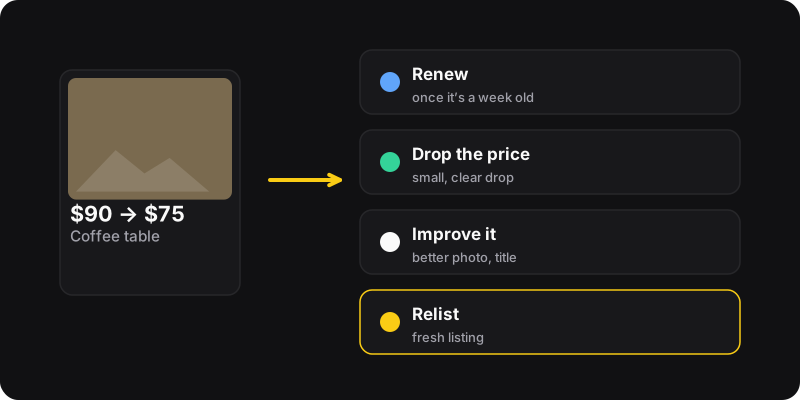
There are four ways to bump a Facebook Marketplace listing: renew it (once it’s about a week old), lower the price, improve the photos or title, or relist it as a new listing. Start with the free, gentle ones and keep relisting for items that have really stalled.
Why listings sink
Marketplace favors fresh listings and listings people interact with. After a few days, a new item from someone else pushes yours down. That doesn’t mean it’s bad, only that it’s old. A “bump” is anything that gives buyers and Facebook a reason to show it again.
1. Renew the listing (free, built in)
Once a listing is about a week old, Facebook usually offers Renew listing in Marketplace → Selling → Your listings → ⋯. It keeps the same listing, link and saves. Full steps in how to renew a Marketplace listing.
Use it when: the item is a week old and still getting some interest.
2. Drop the price
- Open the listing and click Edit.
- Lower the price by a visible step. Going from $100 to $99 doesn’t change anything, but $100 to $85 does.
- Save.
People who saved your item may get notified of a price drop, and a lower price helps when buyers sort or compare. Plan your steps ahead with the price drop planner, so you never go below what you’re happy with.
Use it when: you get views but no messages.
3. Improve the listing
- Replace the first photo with a brighter, cleaner one: it’s your thumbnail in the feed.
- Rewrite the title with what people search for: brand + item + key detail (“IKEA Kallax 4x4 shelf, white”).
- Add details: dimensions, condition, pickup area, availability.
Our guide on writing a Marketplace listing that sells goes deeper.
Use it when: the listing gets few views even when fresh.
4. Relist it as a new listing
Create the listing again (same photos, title, price and description) and delete the old one. It comes back as just listed. By hand, that takes a few minutes per item. Here’s how to relist, manually or in one click.
Use it when: the item is several weeks old, renewing no longer helps, or the Renew option has disappeared.
Bonus: share it where buyers are
When you create or edit a listing, Facebook can also offer to list it in relevant buy-and-sell groups you’ve joined. Local groups can bring buyers who don’t browse Marketplace much. Follow each group’s rules: many limit how often you can post the same item.
Which bump should you use?
| Situation | Best bump |
|---|---|
| A week old, some interest | Renew |
| Views but no messages | Price drop |
| Few views even when new | Better photo and title |
| Several weeks old, nothing works | Relist |
What not to do
- Posting the same item twice at the same time
- Relisting every day
- Keyword stuffing the title or description
- Changing the category to something unrelated to get more views
These look like spam to buyers and to Facebook, and can get listings hidden. A weekly rhythm is enough, as explained in how often to relist.