 AutoListing
Fix
Facebook Marketplace Listing Not Showing Up? 7 Fixes
When a Marketplace listing doesn’t show up, it’s usually one of these: it’s still being reviewed, it was hidden for a policy reason, the location or category is wrong, it’s marked sold or hidden from friends, or it’s simply old and buried. Check its status in Marketplace → Selling first, then go through the fixes below.
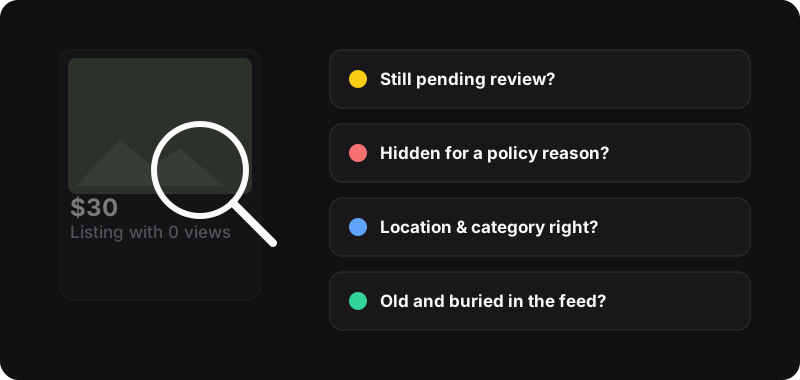
First: check the listing’s status
Open Marketplace → Selling and look at the listing. Facebook shows whether it’s active, pending, sold, or has a problem. That status tells you which fix applies.
1. It’s still being reviewed
New listings are checked before they’re visible to everyone. Usually that’s quick, but it can take longer, especially for new accounts or certain categories.
Fix: wait. Don’t delete and repost straight away: a duplicate can slow things down further.
2. It was removed or hidden for a policy reason
Facebook’s Commerce Policies ban some items (for example animals, weapons, medicines, adult products) and some listing styles (like misleading photos, or listings that aren’t a real item for sale). Automated checks also make mistakes.
Fix: open the listing’s notice. If you think it’s an error, use Request review. If the item really isn’t allowed, it can’t be listed, and relisting won’t change that.
3. Your Marketplace access is limited
If several listings were rejected, or your account is new, Facebook can restrict Marketplace features. You’ll usually see a message about it in Marketplace.
Fix: follow the instructions in that message (many offer a review request). Then slow down: no duplicates, no daily reposts.
4. Wrong location or category
Buyers browse by distance and filter by category. A listing set to the wrong city, or filed under “Miscellaneous”, misses the people looking for it.
Fix: edit the listing, then check the location and choose the most specific category. Fill in the brand, size and condition fields if Facebook shows them.
5. It’s marked sold, pending, or hidden from friends
- Marked as sold or pending: it won’t show as available. Mark it available again.
- Hide from friends: some listing options let you hide a listing from your friends. That’s fine for privacy, but if you’re testing with a friend’s account, they won’t see it.
6. Your search test is misleading
Searching for your own listing isn’t a reliable test: results depend on location, filters and what Facebook thinks each person wants to see. Ask a friend in your area to search the exact title, and check that their filters (distance, price) include your listing.
7. It’s simply old
A listing that was visible last week can just be buried under newer ones. That’s the most common case for “it was getting views and now it’s dead”.
Fix: renew it if the option is there. Otherwise improve it and relist it as a new listing. Our guide on bumping a listing helps you choose.
Visible but no views?
Then it’s a listing problem, not a visibility problem:
- A dark or cluttered first photo gets scrolled past.
- A vague title doesn’t match searches.
- The price is clearly above similar items nearby.
Fix these with how to write a Marketplace listing that sells.
A word on relisting tools
AutoListing relists the listings you select in one click. It helps with fix 7 (old listings), not with policy or review issues. Use it for genuine items and keep a reasonable rhythm, about once a week per item, so your account stays in good standing.