 AutoListing
How-to
How to Sell Faster on Facebook Marketplace: 12 Practical Tips
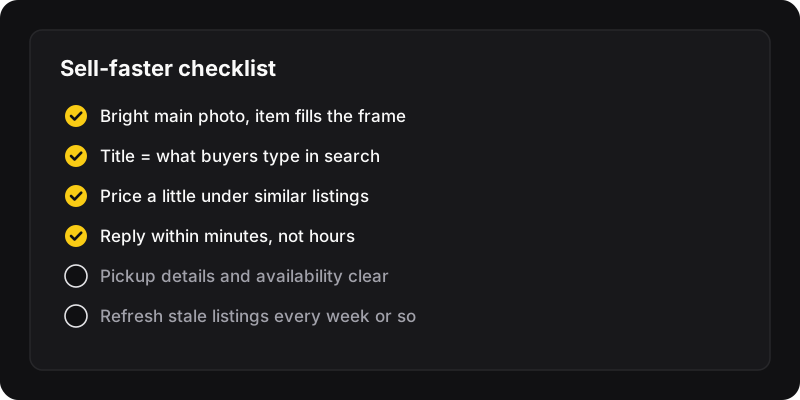
To sell faster on Facebook Marketplace, price slightly below similar listings, make the first photo bright and clear, put what buyers search for in the title, and reply within minutes. Then keep the listing fresh: renew it after a week, drop the price a little if it’s not moving, and relist items that have stalled.
Pricing
1. Check what similar items actually sell for
Search Marketplace for your item and look at a dozen listings near you. Ignore the highest prices: the cheapest fair listings are the ones selling. Aim a little below the middle if you want it gone this week.
2. Leave a little room for negotiation
Many Marketplace buyers will offer less. If your floor is $80, listing at $90 lets them “win” a small discount without you losing anything.
3. Plan your price drops
Decide in advance: after one week without messages, drop by about 10%. After two weeks, another step. The price drop planner builds the schedule for you.
The listing itself
4. Make the first photo count
It’s the only thing people see while scrolling. Daylight, the whole item, a plain background, no clutter. Then add close-ups of details and any flaws.
5. Write the title buyers search for
“Chair” gets lost. “Herman Miller Aeron chair, size B” gets found. Brand, item and the key detail first.
6. Answer questions before they’re asked
Dimensions, condition, what’s included, pickup area and when you’re available. Fewer back-and-forth messages means faster sales. Full template in how to write a listing that sells.
7. Pick the right category and condition
Buyers filter. A sofa in “Other” or a used item marked “New” misses the right people and annoys the rest.
Dealing with buyers
8. Reply fast
Marketplace buyers message several sellers at once. The first one to reply clearly often gets the sale. Turn on notifications for Marketplace messages while you’re selling.
9. Use quick, clear answers
“Yes, still available. Pickup in [area], today after 6pm or tomorrow morning.” One message that answers availability, place and time beats “yes” and a wait.
10. Meet safely
Meet in a public, busy place during the day, or have someone with you for pickups at home. For payments, follow Facebook’s guidance and avoid anything that asks you to move to unusual payment methods or click outside links. Cash in hand for local pickup is common.
Keeping listings fresh
11. Renew, then relist when needed
After about a week, Facebook usually lets you renew a listing. When renewing stops helping, relist it as a new listing. Both are explained in how to bump a Marketplace listing.
12. Don’t spam
Once a week per item is plenty. Daily reposts and duplicate listings look like spam and can get listings hidden. See how often you can relist.
A weekly routine for busy sellers
- Monday: answer pending messages and mark sold items as sold.
- Monday: renew listings that are a week old.
- Monday: drop the price on items with views but no messages.
- Monday: relist items that have been stuck for 3–4 weeks.
If you have many items, the last step is where AutoListing helps: select the stale listings in Chrome’s side panel and relist them in one click, with the same photos, title, price and description.