 Free AI Sidebar
ChatGPT, Claude & Gemini in a Free Chrome Sidebar
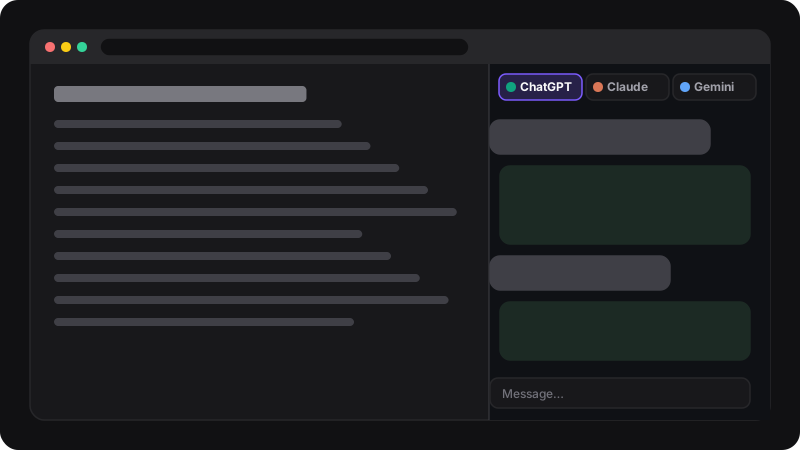
Stop juggling tabs. Free AI Sidebar opens the official ChatGPT, Claude and Gemini in Chrome’s side panel, right next to the page you’re reading. Your own free accounts, no API key, no subscription.
- 100% free
- No API key
- Official sites
- Ctrl+Shift+Z
How it works
It’s the real ChatGPT, Claude and Gemini websites, inside Chrome’s side panel.
-
1. Open the panel
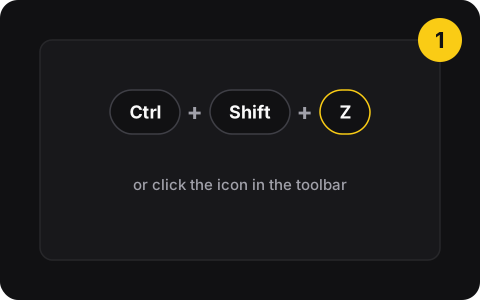
Click the icon or press Ctrl+Shift+Z. The side panel opens on the right and stays open while you change tabs.
-
2. Pick an assistant
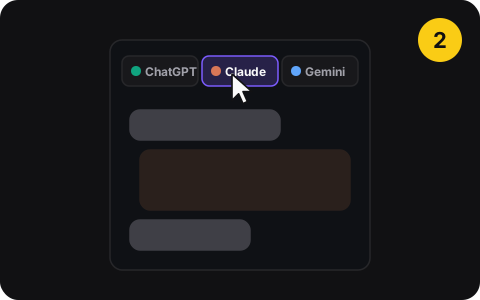
Tabs at the top switch between ChatGPT, Claude and Gemini. Each keeps its own conversation.
-
3. Use your own account
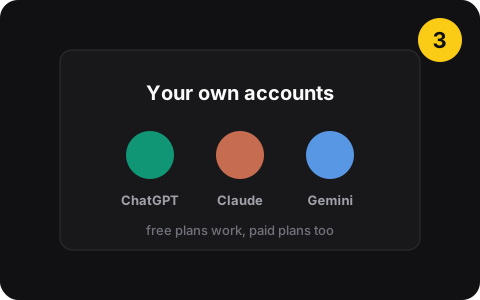
Sign in once to each service. Free plans work; if you pay for one, your plan works too.
What you get
- Three assistants, one panelChatGPT, Claude and Gemini, one click apart.
- Next to any pageRead on the left, ask on the right. No tab switching.
- Your real accountsHistory, settings and plans exactly as on the websites.
- Remembers your chatEach tab reopens on the last conversation you had.
- Keyboard shortcutCtrl+Shift+Z opens and closes the panel.
- Nothing to configureNo API key, no extra account, no credits.
Free
The extension
$0
- No account, no credits
- All three assistants
The extension is free. ChatGPT, Claude and Gemini each have their own free plans and limits, and paid plans if you want more.
Privacy
- Chats go straight to OpenAI, Anthropic or Google
- Only stores your last open conversation links, locally
- You choose what to paste
- No server, no analytics, no account
- Doesn’t read or send the pages you visit
- No API keys to leak
Good to know
Why the “all websites” permission?
Chrome shows it because the extension displays the AI sites inside the panel and keeps them responsive. It doesn’t read your browsing.
Free plans have limits
Each service sets its own free usage limits. When one runs out, switch tabs. Never paste passwords or private data into any AI.
Questions
Is Free AI Sidebar really free?
Yes. The extension is free, with no account, credits or subscription of its own. It opens the official ChatGPT, Claude and Gemini websites, so each service’s own free plan (and its limits) applies. If you pay for one of them, your paid plan works in the sidebar too.
Do I need an API key?
No. You sign in to chatgpt.com, claude.ai and gemini.google.com with your normal accounts, exactly like in a tab.
Does it read the pages I visit?
No. It doesn’t read, summarize or send the pages you browse. You choose what to share by copying text into the chat. Chrome shows a broad permission (“read and change data on all websites”) because the extension needs it to display the AI sites inside the panel and keep them responsive.
Where do my conversations go?
Straight to OpenAI, Anthropic or Google, as on their websites. Free AI Sidebar has no server and doesn’t collect your chats. Each provider’s own privacy settings apply.
How do I open and close the sidebar?
Click the extension icon, or press Ctrl+Shift+Z. You can change the shortcut at chrome://extensions/shortcuts.
Popular guides
- How-toHow to Open ChatGPT in a Chrome Sidebar (Free, No API Key)Keep ChatGPT open in Chrome’s side panel next to any page, for free and with your own account. Three ways to do it, from a pinned tab to a one-click sidebar.
- Manual vs extensionHow to Use ChatGPT, Claude and Gemini Side by SideKeep ChatGPT, Claude and Gemini open together without paying for an all-in-one app: the manual tabs-and-windows method, and the one-click side panel way.
- How-toHow to Summarize a Web Page With AI for FreeSummarize any article or web page with ChatGPT, Claude or Gemini for free: copy the text, use a good summary prompt, and check the result. With prompts to copy.
- Free toolFree AI prompt libraryCopy-ready prompts to summarize, compare, explain and write with ChatGPT, Claude or Gemini.