 TrustStudy
How-to
How to Use AI to Study Without Letting It Do the Work for You
Use AI as a tutor, not a ghostwriter: have it quiz you, explain answers after you’ve tried, turn your notes into flashcards, and check your reasoning. Don’t use it to produce work you hand in as your own, or to answer graded tests and exams. That’s cheating, and it also means you learn nothing.
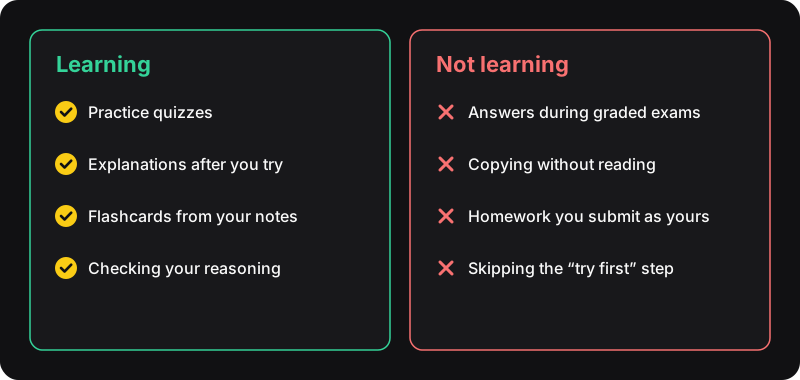
The one rule: you do the thinking first
Memory and understanding come from effort: trying to recall, getting it wrong, fixing it. If an AI does that effort for you, the work looks done but nothing changes in your head. So every good use of AI for studying follows the same pattern: you try first, AI helps after.
Six good ways to study with AI
1. Make it quiz you
“Here are my notes on [topic]. Ask me 10 questions one at a time. Wait for my answer before telling me if I’m right.” This is active recall on demand. See studying with practice quizzes.
2. Explain answers after you try
Stuck on a practice question? Give your answer, then ask why the right one is right and why the others are wrong. Steps in getting AI explanations for quiz questions.
3. Explain it like you’re new
“Explain [concept] to someone who has never heard of it, with an everyday example.” Then explain it back in your own words and ask the AI to point out what you got wrong.
4. Turn notes into flashcards
“Make 20 question/answer flashcards from this text.” Import them into a flashcard app and review them on a schedule (see the spaced repetition planner).
5. Check your reasoning, not just your answer
Paste your full solution to a problem and ask: “Where is my reasoning wrong?” You learn far more than from seeing a model solution.
6. Plan your revision
“My exam is on [date], here are the topics and my weak points. Make me a realistic daily plan.”
Habits that backfire
- Asking for the answer before trying
- Copying explanations without reading them
- Letting AI write essays or homework you submit
- Trusting every answer: AI makes confident mistakes
Where the line with cheating is
Rules differ by school and by assignment, so check yours. As a general guide:
| Usually fine | Usually not allowed |
|---|---|
| Practice quizzes you set yourself | Answering graded tests or exams with AI |
| Explanations to understand a topic | Submitting AI-written work as your own |
| Flashcards and revision plans | Using AI where the instructions forbid it |
Getting caught can mean failing a course or worse. And even when nobody notices, you show up to the real exam without the knowledge.
How TrustStudy is meant to be used
TrustStudy is a Chrome extension built around “study, think, reveal”: open a practice quiz, think it through, then press Alt+X to reveal the AI-explained answer. It’s a fast way to check yourself on practice material. Don’t use it, or any AI tool, on graded tests or exams.