 TrustStudy
Manual vs extension
How to Get AI Explanations for Practice Quiz Questions
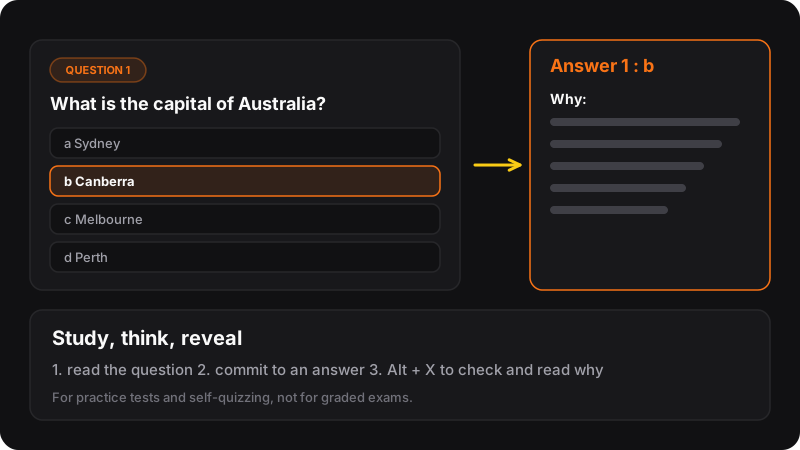
Copy the question and its options into ChatGPT, Claude or Gemini and ask: “Which answer is correct and why? Explain why each other option is wrong.” That works everywhere, for free. For faster checks while you practice, TrustStudy reads the question on the page and shows the answer and reasoning when you press Alt+X.
First: try it yourself
Asking an AI before you’ve tried skips the part that makes you remember. Read the question, pick your answer, note how sure you are. Then ask for the explanation. Our practice quiz method explains why this order matters.
Method 1: copy-paste into an AI chat (free)
- Select the question and all the options, and copy them.
- Open ChatGPT, Claude or Gemini (the free plans are fine for this).
- Paste the question with a prompt like the one below.
- Read the explanation and compare it with your reasoning.
Prompt to copy
Here is a practice question. My answer was [your answer]. Tell me which option is correct, explain why in simple terms, and explain why each other option is wrong. Then give me one similar question to test myself, with the answer hidden at the end.
[paste the question and options]
Asking why the wrong options are wrong is the secret: it’s where most misunderstandings hide.
Questions with images or formulas
Take a screenshot (Win+Shift+S on Windows, Cmd+Shift+4 on Mac) and paste the image into the chat. Most assistants can read images on their websites, with limits on free plans.
Method 2: Alt+X with TrustStudy
Copy-pasting 30 questions gets tedious. TrustStudy is a Chrome extension that works on the page where your questions are:
- Install TrustStudy and sign in with Google.
- Choose how it reads the question: Select (highlight the question), Text, or Screenshot.
- Answer the question yourself first.
- Press Alt+X. The answer appears in the corner, like 1 : b. Alt+C shows or hides it.
- Use a mode with reasoning (Eco or Max) when you want the explanation, not just the letter.
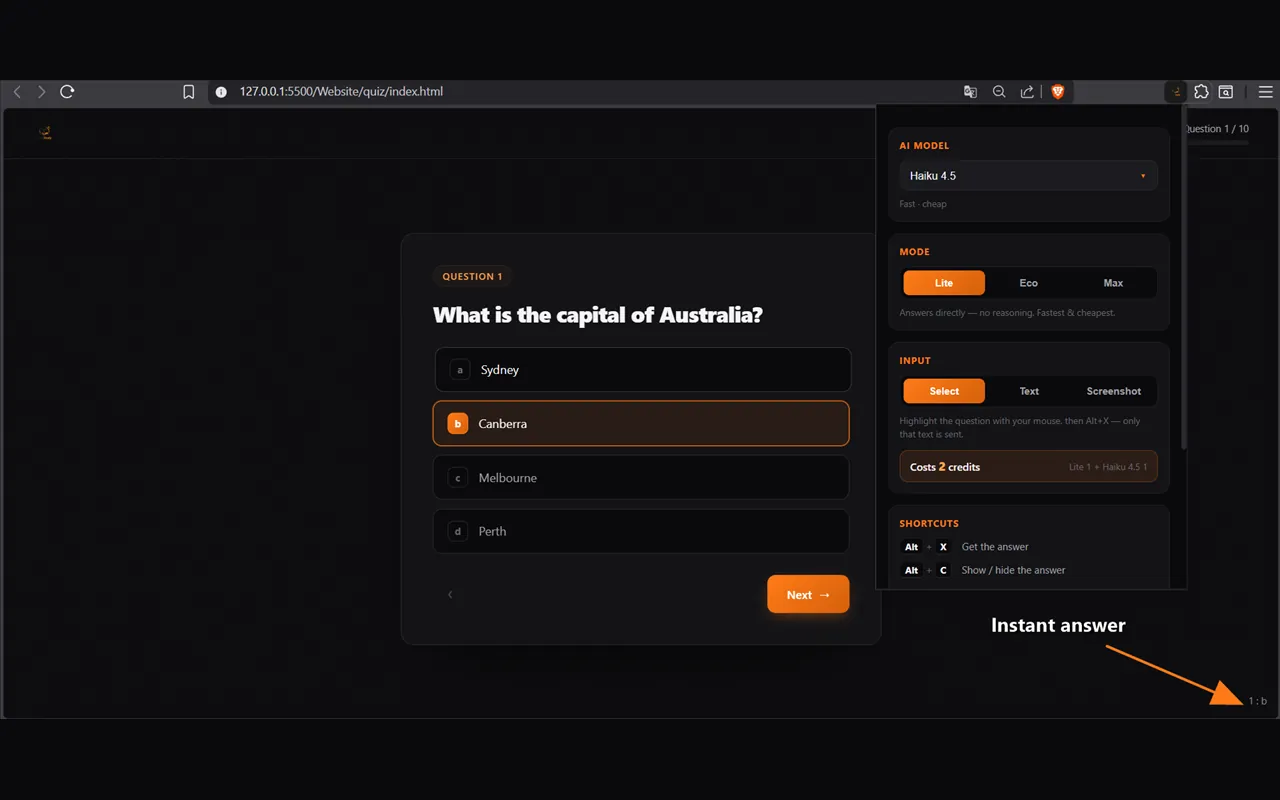
TrustStudy runs on credits: 3 free to try, then plans from $5/month for 300 credits. Each answer costs credits depending on the model and mode (for example, a fast “Lite” answer with a small model costs 2 credits).
Copy-paste vs TrustStudy
| Copy-paste | TrustStudy | |
|---|---|---|
| Price | Free (AI free plans) | 3 free credits, then from $5/month |
| Speed per question | ~30 seconds | One shortcut |
| Explanations | As detailed as you ask | Reasoning in Eco/Max modes |
| Follow-up questions | Yes, it’s a chat | Short answers, no chat |
Many students use both: TrustStudy to check quickly while practicing, and a chat when a topic needs a longer conversation.
Two cautions
- AI can be wrong. If the explanation contradicts your textbook, trust the textbook and check with your teacher. Asking a second model helps.
- Practice only. Using AI to answer graded tests or exams is cheating, whatever the tool, and schools treat it seriously. More in how to use AI to study honestly.