 trustreCAPTCHA
Manual vs extension
How to Solve reCAPTCHA Automatically in Chrome (With Local AI)
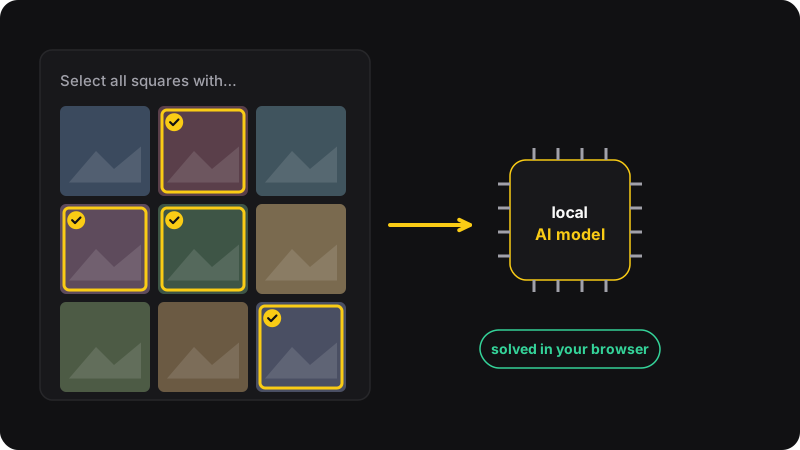
You can’t switch reCAPTCHA off, but you can make it rarer (VPN off, cookies allowed, browser updated) and let a browser extension solve the image challenges that remain. trustreCAPTCHA clicks the checkbox, opens the challenge and picks the tiles with an AI model that runs in your browser, with no image sent to an outside solving service.
Method 1: fewer challenges, solved by hand
Before any tool, reduce how often you’re challenged:
- Turn off your VPN or proxy for sites that challenge you a lot.
- Stay signed in to your Google account in the browser.
- Allow cookies for sites you trust, even if you block them elsewhere.
- Update Chrome and pause strict privacy extensions on those sites.
Full explanations in why do I keep getting reCAPTCHA. For the challenges that remain, the rules in how to pass image challenges faster cut failed rounds a lot.
Cost: free. Time: typically 10 to 60 seconds per challenge, more when you get several rounds.
Method 2: solve them automatically with trustreCAPTCHA
trustreCAPTCHA is a Chrome extension that handles reCAPTCHA image challenges on its own.
- Install trustreCAPTCHA from the Chrome Web Store and pin its icon.
- Open the popup and check the settings: Auto-Open (clicks the checkbox to open the challenge) and Auto-Solve (solves the image grid) are on by default.
- Browse normally. When a page shows a reCAPTCHA, the extension opens it and solves the image challenge.
- Optional: adjust the click delay (pause between tile clicks) and solve delay (pause before starting) to make it feel more natural on sensitive sites.
What “local AI” means here
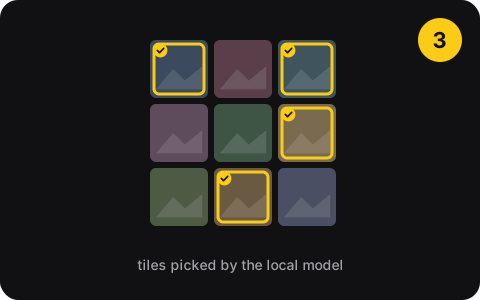
Many solving services send the challenge image to their servers, sometimes to paid human workers. trustreCAPTCHA ships its AI model with the extension and runs it in your browser. The challenge images aren’t sent to an external solving service. Your account only matters for the paid plan, which is handled by ExtensionPay.
Limits to know
- It handles reCAPTCHA checkbox and image challenges (v2, including enterprise frames). It doesn’t solve hCaptcha, Cloudflare Turnstile or other systems.
- Invisible reCAPTCHA v3 has no challenge to solve: it scores you in the background, so the tips from method 1 still matter.
- No solver is right 100% of the time. If a challenge fails, it gets a new one, or you can finish by hand.
Pricing
5 free solves to try it. Then $2/month for unlimited solves, or $9.99 once for lifetime access.
By hand vs trustreCAPTCHA
| By hand | trustreCAPTCHA | |
|---|---|---|
| Price | Free | 5 free, then $2/month or $9.99 lifetime |
| Your effort | Every challenge | None, it runs on its own |
| Where images go | Nowhere | Analyzed locally in your browser |
| Works on | Every CAPTCHA | reCAPTCHA image challenges |
Fair use
Solving CAPTCHAs that get in your way during normal browsing is a convenience. Using a solver to create accounts in bulk, send spam, or scrape sites that forbid it is abuse, often against the site’s terms, and sometimes the law. Don’t.