 trustreCAPTCHA
Comparison
Best reCAPTCHA Solver Extensions for Chrome in 2026
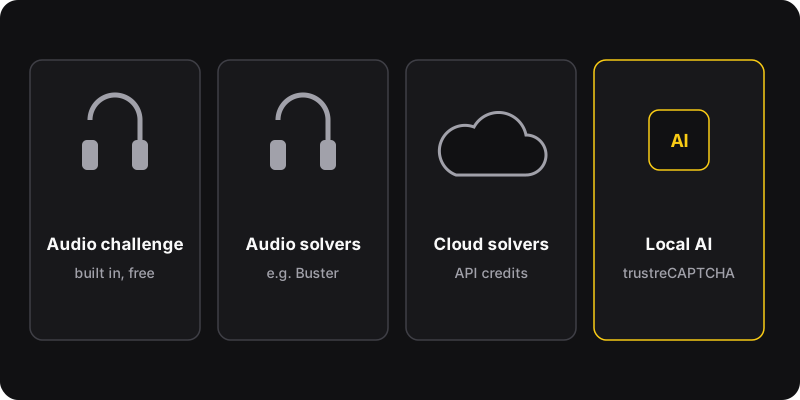
There are four ways to deal with reCAPTCHA faster: the built-in audio challenge (free, for accessibility), Buster (free, open source, solves audio challenges with speech recognition), cloud solvers like NopeCHA (send challenges to their servers, free tier plus paid plans), and local AI solvers like trustreCAPTCHA (ours), which solve image challenges inside your browser.
Disclosure
We make trustreCAPTCHA, one of the tools below. We’ve tried to be fair. Details about other tools come from their public pages as of October 2026, and may change. Whatever you use, use it for your own browsing, not to automate abuse.
Quick comparison
| Option | How it works | Price | Data |
|---|---|---|---|
| Audio challenge | You listen and type | Free | Stays with Google |
| Buster | Speech recognition on the audio challenge | Free, open source | Audio sent to a speech service |
| Cloud solvers (e.g. NopeCHA) | Challenge sent to their servers | Free tier + paid | Leaves your browser |
| trustreCAPTCHA (ours) | Local AI on image challenges | 5 free, $2/month or $9.99 lifetime | Images analyzed in your browser |
1. The built-in audio challenge
Click the headphones icon under an image challenge, listen, type what you hear. It’s built for people who can’t easily do image challenges.
- Free, official, no install
- Can be hard to understand; may be limited on some networks
2. Buster: Captcha Solver for Humans
A well-known open-source extension that solves the audio challenge for you: it sends the audio to a speech recognition service and types the result. Available for several browsers.
- Free and open source
- Good accessibility option
- Still requires a click to start on each challenge
- Audio is processed by an external speech service
3. Cloud solvers (NopeCHA and similar)
Extensions and APIs like NopeCHA solve many CAPTCHA types by sending them to their own servers, usually with a free daily allowance and paid plans. Some services in this category rely on human workers behind the scenes.
- Often support several CAPTCHA systems, not only reCAPTCHA
- Your challenges (and sometimes page details) leave your browser
- Credit systems and accounts
4. trustreCAPTCHA (our extension)
trustreCAPTCHA opens reCAPTCHA challenges and solves the image grids with an AI model bundled in the extension, running in your browser.
- Fully automatic: auto-open and auto-solve
- Image challenges analyzed locally, not sent to a solving service
- Adjustable click and solve delays
- 5 free solves, then $2/month or $9.99 lifetime
- reCAPTCHA only (not hCaptcha or Turnstile)
- Not 100% accurate; a failed challenge is retried or finished by hand
- Chrome only
How to choose
- Accessibility needs, free: the audio challenge, or Buster.
- Many CAPTCHA types: a cloud solver, if you’re fine with data leaving your browser.
- Mostly reCAPTCHA, hands-off, privacy-minded: trustreCAPTCHA. See how it works.
- Fewer challenges in the first place: fix the causes in why do I keep getting reCAPTCHA.
A word on fair use
CAPTCHAs keep spam and abuse out of sites everyone uses. Solving tools are fine for saving yourself time while browsing; they’re not fine for mass sign-ups, spam, ticket scalping or scraping against a site’s terms. Many sites forbid automated access in their terms, and some uses are illegal.