 trustreCAPTCHA
How-to
How to Pass reCAPTCHA Image Challenges Faster (and Fail Less)
Read the exact instruction, select every tile that contains part of the object, and if the tiles you click are replaced by new ones, keep going until none match before clicking Verify. If nothing matches, click Skip. Take your time: answers that are too fast or too careless trigger extra rounds.
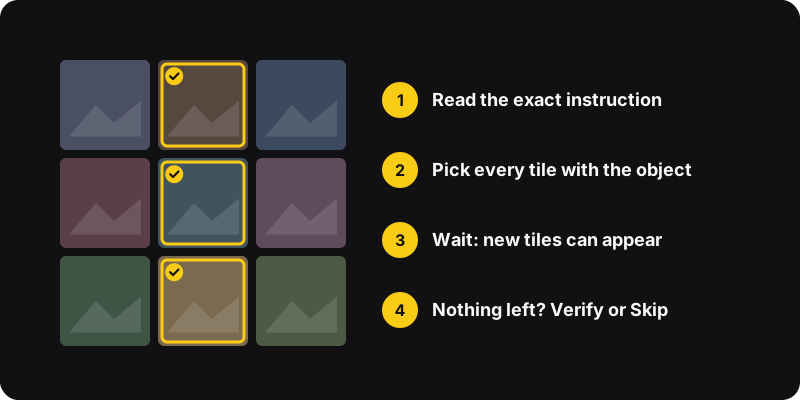
The two kinds of image challenges
- Static grid: a single picture split into tiles (often 4×4), or 9 separate images. You select all that match, then click Verify.
- Replacing tiles: each tile you click fades and is replaced by a new image. You keep clicking until no matching tiles remain, then click Verify. The instruction usually says “click verify once there are none left”.
Mixing them up is the number-one reason for failing: clicking Verify too early on a replacing grid.
Rules that work
- Read the instruction word for word. “Crosswalks”, “traffic lights”, “buses”, “motorcycles”… and check whether it says “if there are none, click skip”.
- Select every tile with part of the object on a split image. A bit of the object at the edge of a tile usually counts.
- Don’t over-select. A pole holding a traffic light isn’t the traffic light. Stick to the object itself.
- Wait for replacements to finish loading before deciding you’re done.
- Use Skip when nothing matches. It’s a valid answer, not a failure.
- Don’t rush. Lightning-fast clicks look automated and can earn you another round.
The usual objects, and what counts
| Object | Select | Usually don’t select |
|---|---|---|
| Traffic lights | The light housing, even a small part of it | The pole or the arm alone |
| Crosswalks | Tiles with the painted stripes | Sidewalk or plain road next to them |
| Buses | Any part of a bus, including the back or a corner | Vans, trucks, bus stops without a bus |
| Cars | Cars, including parked ones in the background | Trucks and buses |
| Bicycles / motorcycles | Wheels, frame, handlebars | The rider alone, a bike rack without bikes |
| Fire hydrants | The hydrant body | Posts, bollards or poles of the same color |
These are good-faith rules of thumb. reCAPTCHA doesn’t publish its exact criteria, and edge cases happen. If a tile is truly 50/50, it rarely decides the result on its own, so don’t overthink it.
Can’t tell what’s in a tile?
Click the reload icon (circular arrow) under the grid to get a new challenge. Some are just ambiguous. A new one is often faster than agonizing over a blurry tile.
The audio challenge
Click the headphones icon under the grid. You hear a short recording of spoken words or numbers and type what you hear. It exists for accessibility, for people who have trouble with images. Some sites or networks may limit audio challenges if they see too many requests.
Why you get round after round
If you keep getting new challenges even when you answer correctly, the problem usually isn’t your answers but your “risk” signals: VPN, cleared cookies, privacy extensions, shared networks. Fix those with why do I keep getting reCAPTCHA: 8 fixes.
Quick checklist
- Read the full instruction
- Every tile with part of the object, nothing else
- Wait for replacement tiles
- Nothing matches? Skip
- Ambiguous? Reload for a new one
Or let it solve itself
If you hit image challenges all day, trustreCAPTCHA can open and solve reCAPTCHA image challenges for you with an AI model that runs locally in your browser. You get 5 free solves to try it. The manual and automatic methods are compared in how to solve reCAPTCHA automatically.