 Group Exporter for FB
Fix
Facebook Group Member Export Not Working? 6 Fixes
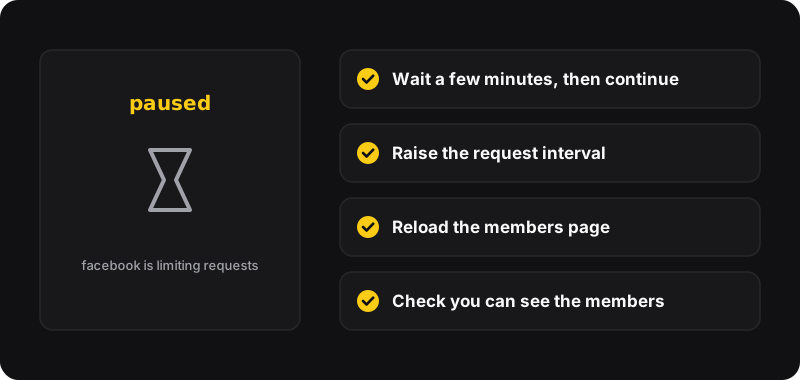
Most export problems come from three things: Facebook limiting requests (wait a few minutes, raise the request interval, then continue), the page not being fully loaded (reload the members page), or members you simply can’t see from your account. Here are the fixes, in the order to try them.
1. No “export members” button on the page
- Reload the members page. Facebook builds its pages on the fly; the button is added once the member count appears.
- Make sure you’re on the members page, not the group’s main feed:
facebook.com/groups/<group>/members. Or paste the group link in Group Exporter’s popup and use the button there. - Check you’re logged in to Facebook in the same Chrome profile. The popup tells you if it can’t find your session.
2. The export pauses or says Facebook is limiting requests
Facebook slows down accounts that make many requests quickly. That’s normal, not a ban. Group Exporter pauses instead of pushing through.
- Wait a few minutes.
- Open the extension’s settings and raise the request interval (for example from 2 s to 6 or 10 s).
- Click continue. The members already found are kept.
For very large groups, use a slower interval from the start and set a member limit so the export pauses in chunks.
3. “Couldn’t read your Facebook session” or “couldn’t find this group’s id”
The page didn’t finish loading, or Facebook changed something on it. Reload the members page and try again. If you came from a notification or a shared link, open the group from your groups list instead, then go to Members.
4. Fewer members than the count says
This is expected to some degree. You can only export members Facebook shows to your account:
- some groups only show the full list to members or admins,
- people who blocked you, or whom you blocked, don’t appear,
- deactivated accounts can still be counted but not listed.
Read more in how to see the members of a Facebook group.
5. “Facebook answered with error…” or “unexpected answer”
Usually rate limiting (see fix 2) or a temporary Facebook problem. Wait, then click retry. If it fails every time on every group, Facebook may have changed its internal API. Check for an extension update in chrome://extensions, or report it on the project’s GitHub.
6. The CSV looks broken in Excel
Strange characters instead of accents, or IDs like 1.00E+14, are display issues, not a bad export. Import the file as UTF-8 and set the ID column to text: step by step in open a member list in Excel or Google Sheets.
Prevent problems next time
- Use a moderate request interval (the default is a good start)
- Don’t run several exports at the same time
- Export big groups in chunks with the member limit
- Export groups you manage, for a clear purpose, and not more often than needed (weekly is plenty)
Your account, your responsibility
Facebook’s Terms restrict collecting data by automated means without its permission, and Facebook can limit accounts that make too many requests. Go slow, export only what you need, and keep the data private.