 Group Exporter for FB
How-to
How to See the Full Member List of a Facebook Group
Open the group and click Members (on a computer it’s a tab under the cover photo; in the app, tap the group name or the member count). You’ll see admins and moderators, new members, people you know, and a search box. Some members may not appear, depending on the group’s privacy and your role.
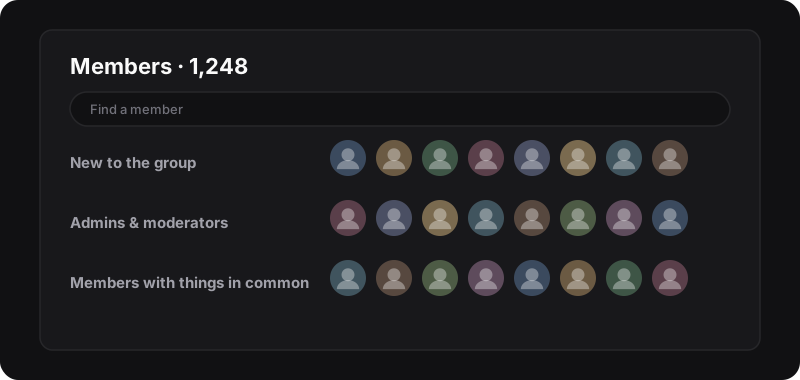
On a computer
- Go to the group on facebook.com.
- Click Members in the tabs under the group’s cover photo. (If you don’t see it, click More.)
- Or type the address directly:
facebook.com/groups/<group-name-or-id>/members.
The page shows the total member count at the top, then sections such as Admins & moderators, New to the group, and members you have something in common with. Scroll down to load more.
In the Facebook app
- Open the group.
- Tap the group name at the top, or the member count under it.
- Tap See all next to Members.
Facebook rearranges these screens regularly, so labels can differ a little between app versions.
Find a specific member
Use the Find a member search box at the top of the members page. It searches by name. That’s faster than scrolling through thousands of people.
Why some members don’t show up
- Group privacy: in some groups, only members (or only admins) can see the full member list.
- Blocked accounts: people you’ve blocked, or who blocked you, don’t appear for you.
- Deactivated or restricted accounts may be missing or counted differently.
- Very large groups: the list loads gradually as you scroll; it can be slow, and the count at the top may not match exactly what you can scroll through.
In short: you can only see, and export, what Facebook shows to your account.
Extra tools if you’re an admin
- Member requests: people waiting to join, with their answers to your membership questions.
- Group insights (for groups above a certain size): growth, engagement and when members are active.
- Member management: mute, remove or block members from their entry in the list.
These live in the group’s admin tools (the shield icon or Manage menu).
Keep a copy of the list
Facebook doesn’t offer a download of the member list. If you manage a group and want a record, for instance to welcome new members or follow growth, you can export what the members page shows you to CSV with Group Exporter for FB. The full method, manual and automatic, is in how to export Facebook group members. Then compare exports over time with track new members of your group.
Respect members’ privacy
Being able to see a list doesn’t make it OK to collect it for anything. Facebook’s Terms restrict automated data collection, and privacy laws may apply. Use member data only to run your group, never for unsolicited messages.