 AutoListing
Comparison
Best Facebook Marketplace Relist Tools in 2026
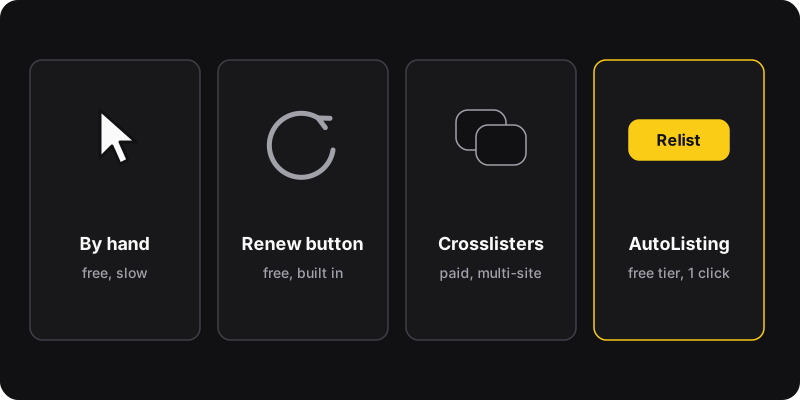
For a few items, Facebook’s own Renew button and manual relisting are free and enough. If you sell across several marketplaces, crosslisting services like Vendoo, List Perfectly or Crosslist handle Facebook too, for a monthly fee. If you only need to relist on Facebook Marketplace quickly, AutoListing (ours) does it in one click, with 5 free relists a month.
Disclosure
We make AutoListing, one of the options below. We’ve tried to be fair. Details about other services come from their public websites as of October 2026. Prices and features change, so check before you sign up.
Quick comparison
| Option | Price | Best for |
|---|---|---|
| Manual delete & repost | Free | A few items now and then |
| Facebook’s Renew button | Free | Week-old listings, keeps saves |
| Crosslisting services (Vendoo, List Perfectly, Crosslist…) | Paid plans | Resellers on several marketplaces |
| AutoListing (ours) | 5 relists/month free, $2/month unlimited | Relisting on Facebook Marketplace, fast |
1. Manual delete and repost
Save the photos, create a new listing with the same details, delete the old one. Step by step in how to relist on Facebook Marketplace.
- Free, works on phone and computer
- A natural moment to improve the listing
- About 5 minutes per item, and easy to mix up photos
2. Facebook’s Renew button
Built in, free, and keeps the listing’s link and saves. It’s usually offered once a listing is about a week old, and it can disappear after several renewals. Here’s how to renew a listing.
- Official, zero risk, one tap
- Facebook decides when it’s available
- Smaller boost than a fresh listing
3. Crosslisting services
Services such as Vendoo, List Perfectly and Crosslist are built for resellers who sell the same inventory on several platforms (eBay, Poshmark, Mercari, Facebook Marketplace…). They keep a central inventory, post to each marketplace, and can delist or relist from one place.
- One inventory for many marketplaces
- Extra features: bulk edits, sold-item delisting, analytics
- Monthly subscriptions, usually more than a casual seller needs
- Learning curve and account setup
4. AutoListing (our extension)
AutoListing does one thing: relist your Facebook Marketplace listings in one click. It opens in Chrome’s side panel, shows your listings, and lets you select all or some of them. Click Relist and it posts new copies with the same photos, title, price and description, then removes the old ones.
- One click for many listings
- 5 free relists a month with a free account (email sign-in, no Facebook password)
- Unlimited for $2/month or $20/year
- Facebook Marketplace only, not a multi-marketplace tool
- Chrome on a computer (no mobile app)
- Doesn’t write or improve your listings for you
How to choose
- You sell a few things a year: Renew button + manual relist. Free and enough.
- You sell regularly, only on Facebook: AutoListing saves the repetitive part for $0–2 a month.
- You run a reselling business on several sites: a crosslisting service is worth its subscription.
Whatever you use
- Keep a weekly rhythm. Tools make relisting easy, and that makes it easy to overdo. See how often to relist.
- Never share your Facebook password with a tool. Extensions that work in your browser use your existing session instead.
- Check permissions before installing an extension: a Marketplace tool needs access to facebook.com, not to every site.
- Follow Facebook’s Commerce Policies. No tool makes a forbidden listing acceptable.