 Free AI Sidebar
Comparison
Best Free AI Sidebar Extensions for Chrome (2026)
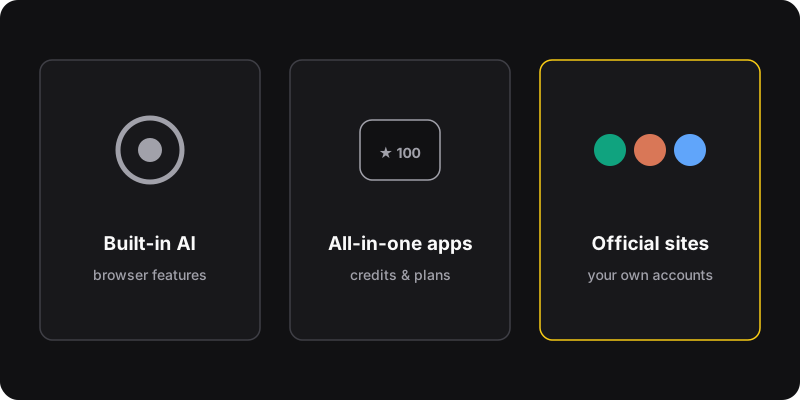
There are three kinds of AI sidebars for Chrome. All-in-one assistants like Sider, Monica, Merlin or HARPA bring many models and features under their own account, with free credits and paid plans. AI built into browsers is convenient where it’s available. And simple sidebars like Free AI Sidebar (ours) open the official ChatGPT, Claude and Gemini sites with your own free accounts.
Disclosure
We make Free AI Sidebar, one of the options below. We’ve tried to be fair: the other tools are good at different things. Their features and prices change often, so check their sites before choosing. Information as of October 2026.
The three kinds of AI sidebars
| Type | Examples | Account | Cost |
|---|---|---|---|
| All-in-one assistants | Sider, Monica, Merlin, HARPA AI | Their own | Free credits + paid plans |
| Built into the browser | AI features from browser makers | Browser/Google account | Varies by region and plan |
| Official sites in a sidebar | Free AI Sidebar (ours) | Your ChatGPT/Claude/Gemini accounts | Free (the services’ own plans apply) |
1. All-in-one AI assistants (Sider, Monica, Merlin, HARPA)
These extensions put a full AI toolkit in your browser: chat with several models, summarize pages and YouTube videos, rewrite text you select, translate, and sometimes automate tasks. You sign up for their service, which gives you a free allowance (often daily or monthly credits) and paid plans for more.
- Lots of features: one-click page summaries, writing tools, sometimes PDF chat
- Many models behind one interface
- Free credits run out fast if you use it a lot; the good stuff is usually paid
- Another account, and your prompts go through their servers
- Typically need broad permissions to read the pages you visit
Good for: people who want automatic summaries and writing tools everywhere, and are happy to pay for them.
2. AI built into the browser
Browser makers are adding AI assistants directly into the browser, including Google with Gemini features in Chrome in some regions and on some plans. When it’s available to you, it’s the most integrated option: nothing to install, and it can work with the page you’re on.
- No extension, deep integration
- One provider’s model only
- Availability depends on your country, language and account
3. Free AI Sidebar (our extension)
Free AI Sidebar takes the simplest possible approach: it opens the official chatgpt.com, claude.ai and gemini.google.com in Chrome’s side panel, with a tab for each. You sign in with your own accounts.
- Free, no credits system, no extra account
- The real ChatGPT, Claude and Gemini: your history, settings and plan
- If you pay for one of them, that plan works in the sidebar too
- No server of its own: your chats go straight to each provider
- Open/close with Ctrl+Shift+Z
- No one-click “summarize this page”: you copy the text you want (see how)
- Three assistants only, no extra models or writing tools
- The services’ free-plan limits still apply
Good for: people who already like ChatGPT, Claude or Gemini and just want them always at hand, for free.
How to choose
- You want automatic summaries and lots of features: an all-in-one assistant, probably on a paid plan.
- You use one provider and it’s built into your browser: try the built-in option first.
- You want the official assistants, free, side by side: Free AI Sidebar. See using ChatGPT, Claude and Gemini side by side.
Checklist before installing any AI extension
- Read the permissions. Ask yourself why it needs them. Sidebars that embed sites need broad permissions to display them; tools that read every page can see everything you browse.
- Find out where your prompts go. Straight to OpenAI/Anthropic/Google, or through the extension’s own servers?
- Check who makes it and how recently it was updated.
- Never paste secrets into any AI chat, whatever the tool.