 Group Exporter for FB
Comparison
Best Tools to Export Facebook Group Members in 2026
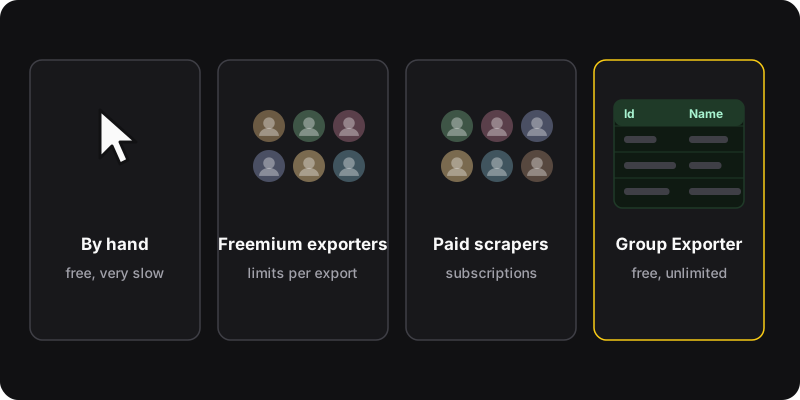
Several Chrome extensions export Facebook group members to CSV. Many are freemium: free up to a limit per export (often 100 to a few thousand members), then paid. Group Exporter for FB (ours) is free with no member limit, runs in your browser, and exports what the members page shows you. For tiny groups, copying by hand is enough.
Disclosure
We make Group Exporter for FB, one of the tools below. We’ve tried to be fair. Details about other extensions come from their Chrome Web Store listings as of October 2026. Limits and prices change, so check before installing.
Quick comparison
| Option | Price | Limits |
|---|---|---|
| Copy by hand | Free | Your time |
| Freemium exporters (several on the Chrome Web Store) | Free tier + paid upgrade | Free tiers often capped (e.g. 100 or 200 members) |
| Paid scraping services | Subscriptions | Depend on plan |
| Group Exporter for FB (ours) | Free | No member limit; only members visible to you |
1. Copy by hand
Open the Members tab and copy names and profile links into a spreadsheet. Steps in how to export group members.
- Nothing to install, no Terms question
- Only realistic for a few dozen members
2. Freemium exporter extensions
Search the Chrome Web Store for “export group members” and you’ll find several, such as Group Members Exporter, Export Group Members for Facebook, Group Extractor or FB Group Scraper. Their listings describe similar features (export to CSV, sometimes XLSX) with free tiers capped per export, for example 100 or 200 members, and paid upgrades for more.
- Easy to use; some add extra exports (post likes, comments)
- Free tiers are small; you often hit the paywall on real groups
- Some require an account on their service
3. Paid scraping services
Online services and desktop tools sell data extraction for social networks as a subscription. They’re aimed at marketing teams and often go well beyond member lists. They also tend to push straight into territory that Facebook’s Terms forbid, so think twice.
- Expensive, often a separate login, data goes through their servers
4. Group Exporter for FB (our extension)
Group Exporter for FB adds an export members button to any group’s members page and saves the list to CSV.
- Free, no member limit, no account
- Runs in your browser with your own Facebook session: no server, no tracking
- Pause and continue; adjustable request interval and member limit
- Columns: User Id, Username, Is Verified, Friendship Status, Group Bio, Join Status Text, Extracted At, Profile Url, Avatar
- Interface in English and French, follows Facebook’s light/dark theme
- Members only (no post likes or comments exports)
- Chrome on a computer
- No emails or phone numbers, because members pages don’t show them (that’s a feature)
How to choose
- Under ~50 members: copy by hand.
- You manage a group and want the full list for free: Group Exporter.
- You also need likes/comments exports: one of the freemium tools may fit, probably on a paid plan.
Red flags in any exporter
- Asks for your Facebook password (a browser extension never needs it)
- Promises emails or phone numbers of members
- Sends your data to its own servers without saying so
- Markets itself for mass messaging or “lead lists”
Whatever tool you use
Facebook’s Terms restrict automated data collection without its permission, and privacy laws (like GDPR) may apply to any member list you keep. Export groups you manage, for a clear purpose, keep files private, and never use them for unsolicited messages.