 Free AI Sidebar
How-to
How to Compare ChatGPT, Claude and Gemini Answers (Fairly)
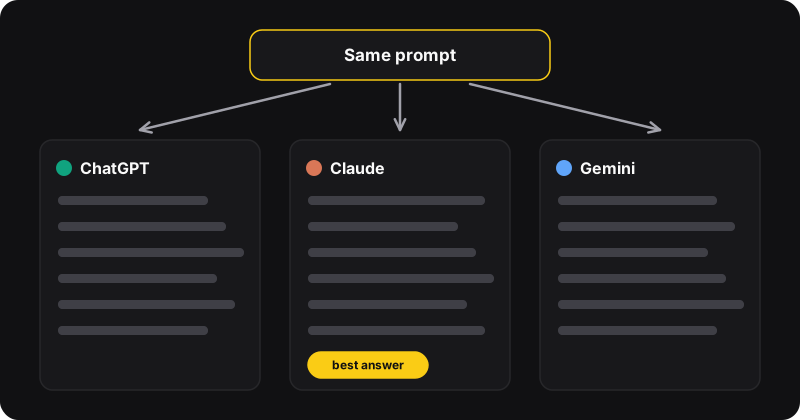
To compare ChatGPT, Claude and Gemini fairly, send all three the exact same prompt with context, task and format, then judge the answers in order: accuracy first, then usefulness, then style. Check facts against a source, not against each other. Finally, ask the best assistant to merge the good points from the other two.
Step 1: write one fair prompt
Comparisons fall apart when each assistant gets a slightly different question. Write the prompt once, outside any chat, with three parts:
- Context: who you are and what it’s for (“I’m a small shop owner writing to a supplier”).
- Task: exactly what you want (“write a polite email asking for a 2-week delay”).
- Format: length, tone, structure (“under 120 words, friendly, no bullet points”).
Prompt template
Context: [who you are, what this is for]. Task: [what you want]. Format: [length, tone, structure]. If something is unclear, state your assumption instead of asking.
The last sentence matters: otherwise one assistant may ask a question while another guesses, and you’re no longer comparing the same thing.
Step 2: send it to all three
Use a fresh conversation in each, so past chats don’t influence the answer. Paste the exact same text. If you use Free AI Sidebar, open the panel with Ctrl+Shift+Z, paste in the ChatGPT tab, then switch to the Claude and Gemini tabs and paste again. Or tile three windows, as described in how to use them side by side.
Step 3: judge in the right order
- Accuracy. Are the facts, numbers, names and code correct? Check anything important against an original source. Two assistants agreeing doesn’t make something true.
- Did it do the task? Right length, right format, all the constraints respected?
- Usefulness. Could you use it as-is? Is anything missing, or padded?
- Style. Tone, clarity, voice. This comes last, because it’s the easiest to fix with a follow-up.
| Criterion | ChatGPT | Claude | Gemini |
|---|---|---|---|
| Accurate | ✓ / ✗ | ✓ / ✗ | ✓ / ✗ |
| Followed the format | |||
| Usable as-is | |||
| Style |
Copy this grid into a note for a quick, consistent comparison.
Step 4: merge the best parts
Take the best answer and improve it with the others:
Merge prompt
Here are two other answers to the same request: [paste]. Improve your answer using anything they got right that you missed. Keep the original format. Don’t add anything you’re not sure is true.
What usually differs between them
Each model changes often, so any ranking goes out of date fast. Rather than trusting a “best AI” list, test on your tasks. Things worth comparing:
- Long documents: does it keep details from the start of a long paste?
- Writing voice: which one sounds closest to how you write?
- Code: does it run? Does it explain changes clearly?
- Up-to-date info: which one can search the web on your plan, and does it cite sources?
- Refusals and hedging: which one answers clearly when it should?
Common comparison mistakes
- Different prompts for each assistant
- Comparing a fresh chat with a long ongoing one
- Judging on style before checking facts
- Testing once and drawing big conclusions
Run the same comparison on three or four real tasks before deciding which assistant to use for what. Ready-made prompts for summaries and comparisons are in our free prompt library, and the summary workflow is in how to summarize a web page with AI.